




A CRM system is software that helps store customer information, manage communication, and prevent lost sales.
For example, a potential customer submits a request on your website, but the manager forgets to call them back. A few days later, that person has already purchased a product or service from a competitor. CRM helps prevent situations like this: the system stores inquiries, reminds the team about next steps, and shows the history of communication with the customer.
The easiest way to think about CRM is as a contact book, a reminder calendar, and reporting for the business owner combined into one tool. It not only stores customer contacts but also helps monitor team performance and sales.
In this article, we’ll look at what CRM is, how a CRM system works, what tasks it solves, and how to choose the best solution for your business.
CRM System in Simple Terms: How It Helps a Business
CRM stands for Customer Relationship Management.
Businesses usually start looking for a CRM when the number of customer inquiries grows and managing them manually becomes difficult. One lead stays in a messenger app, another comes through the website, and a third gets written down by the manager in a notebook after a phone call. Another common situation is when a customer reaches out again, and the manager has to ask the same questions all over again because previous agreements were never saved anywhere.
As a result, some leads get lost, managers waste time searching for information, and the business loses potential sales.
CRM helps collect inquiries, contacts, and agreements in one system so the team can quickly find the information they need and avoid losing important details while working with customers.
How a CRM System Works
CRM works on a simple principle: the system creates a separate profile for each customer where all important information is stored.
Imagine someone contacts your company. The manager records their request in the CRM, adds notes after the conversation, updates the deal status, and schedules the next follow-up. All these actions remain attached to the customer’s profile.
Because of this, any employee can quickly understand when the person reached out, what they were interested in, what offers they received, and what stage of the customer journey they are currently in.
In addition, CRM automates part of routine work: it reminds the team about calls, creates tasks, tracks deal updates, and collects reports for analyzing team performance.
What Business Problems CRM Solves
Companies implement CRM when the business starts scaling and begins facing specific problems. It is not needed only for keeping customer data organized. CRM helps understand how many leads come into the business, how they move through the sales process, and at what stage the company is losing customers.
📩 Missed Leads
When inquiries come in simultaneously from the website, messengers, social media, and phone calls, some leads can easily be missed.
👋 Customers Disappear After the First Contact
A manager promised to call back in a week but forgot to do it. As a result, the potential customer contacts another company instead.
📲 Disorganized Contacts and Conversations
Customer information often remains stored on a manager’s phone, in email, or inside messenger apps.
🔍 No Control Over Sales
Without CRM, it is difficult for a business owner to understand what stage deals are currently at and why some sales are not closing successfully.
📉 Difficult to Analyze Results
When information is scattered across spreadsheets and chats, preparing reports takes a lot of time.
Who Needs a CRM System
Sometimes entrepreneurs postpone implementing CRM because they believe such systems are only necessary for large companies. In reality, this is not true.
CRM becomes necessary when a business outgrows Excel spreadsheets, notes, and managers’ memory. Especially in situations where:
- leads come from several channels;
- the customer base is growing;
- several people work in sales;
- part of the agreements must be searched for in conversations;
- the owner finds it difficult to monitor customer interactions.
In a beauty salon, CRM helps manage the customer database and send reminders for repeat bookings. In a service company, it helps control orders and track customer request history. In retail, it helps monitor work with returning customers.
⏳ When CRM May Not Be Necessary Yet
If a business receives up to 10–15 inquiries per week, and all contacts, agreements, and repeat sales can be easily managed without spreadsheets or reminders, CRM may still be unnecessary.
Usually, the need for a system appears when a company starts receiving more than 30 inquiries per week. Most businesses switch to CRM at that point.
Types of CRM Systems
Not all CRM systems solve the same tasks. Some help manage leads and sales, while others focus more on analytics or team collaboration.
Most modern CRM systems combine all three approaches, so it is more important to evaluate the system’s functions and capabilities rather than focusing only on its type.
How to Choose a CRM for Your Business
When choosing a CRM, it is important to look beyond customer management alone. The fewer separate tools your team uses every day, the easier it becomes to control processes and find the necessary information.
Before choosing a CRM, make sure to check whether:
- the team can start working without lengthy training;
- all leads and customers are visible in one place;
- the system supports automatic reminders;
- reports are available for the owner or manager;
- the system can scale together with the business.
CRM helps organize customer management. But if payments, software-based cash registers (PRRO), finances, and analytics work separately, part of the data still has to be transferred between different systems.
In Vchasno.Busines, the customer database, payments, PRRO, and analytics work together. Because of this, the team does not need to move data between several programs or manually collect part of the information at the end of the day.
Conclusion
A CRM system helps organize customer interactions, avoid losing leads, and better control sales. The key is choosing a solution that matches the real needs of the business and helps the team work faster instead of creating new manual processes.
For many companies, customer management is only one part of daily operations. That is why, when choosing a solution, it is important to pay attention not only to CRM itself, but also to how the system helps manage payments, analytics, and other business processes.
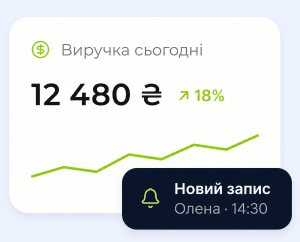
CRM, Payments, and Analytics Without Extra Tools
In Vchasno.Business, the customer database, payments, PRRO, and analytics work together in one dashboard.
Try now