Viber
Viber
 Telegram







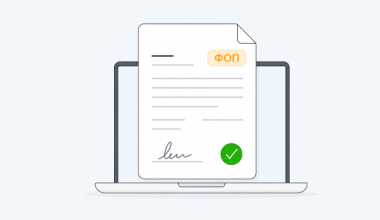
Documents get lost, signatures are delayed, searching for the right file takes hours — sound familiar? In many companies, chaos in document management quietly eats away at time, nerves, and money.
This can be solved by properly organizing document management, as well as document flow and storage.
In this article, we have compiled practical tips and real-life examples of how businesses are streamlining their processes with Vchasno.EDO.
Types of document flow organization
Document flow can be organized in different ways, depending on how the company creates, processes, and transfers documents. There are several main types, depending on the degree of automation:
| Document management | Pros | Cons | |
| Paper document flow | — a traditional model where documents are printed, signed by hand, and delivered in person or by mail. | — | A slow, costly, and risky format in terms of storage. |
| Electronic document management (EDM) | — a modern solution that transfers the entire document workflow cycle online. Electronic document management is considered the most effective type today. | Combines processing speed, access control, and simple document organization. | — |
| Mixed document flow | — many companies choosing to transition to electronic solutions opt for this intermediate option. | This is convenient during the transition phase, as there is no need to immediately abandon familiar processes. | Risk of duplication and confusion between paper and electronic versions. Additional costs for storing and controlling both formats. |
Electronic document management is considered the most effective type today, as it combines processing speed, access control, and simple document organization.
Organizing document flow in a company
A well-organized document flow is not just about keeping folders in order, but a clear and understandable process that helps a business work faster and without errors.
The main tasks of effective document flow organization are:
- storing documents in a single system;
- quick search by key parameters — date, counterparty, or amount;
- clear distribution of responsibilities and control over execution;
- minimization of the risk of data loss or duplication.
Document management with Vchasno.EDO becomes convenient and orderly, as the service automates these processes. In the system, documents are easy to check, group by type, link together, and archive. As a result, the business gets a clear structure, speed in work, and peace of mind instead of confusion.
Electronic document management in Vchasno: how to organize it in practice
The transition to electronic document management is a step towards convenience, speed, and control. But for it to really work effectively, it is important not just to “digitize” documents, but to build a clear system for processing them.
⚙️ Configuring the document register
The register can be configured for your specific tasks — select only the columns you need: counterparty, amount, document type, signing or approval status, signatory, etc.
Users work faster because they see up-to-date information without additional filters and opening documents. This approach saves time and helps avoid mistakes.
Example. The accounting department sets up columns in its register:
- Counterparty,
- Document type,
- Signature status,
- Amount,
- and adds its own — Payment status.
This makes it immediately clear which documents require payment and which are fully closed.

🧩 Additional parameters for working with documents
In Vchasno.EDO, you can not only use standard fields, but also create your own. This is convenient when you need to track specific data — for example, “Payment amount,” “Project number,” or “Shipment date,” etc. Such fields can be displayed in the document register so that you can see important information without opening the file.
Examples.
Lawyers add a “Contract expiration date” column to track the terms of agreements and prepare additional documents on time.
Purchasers create a “PO number” field, which allows them to quickly verify documents with internal systems and control the status of payment or delivery.
*️⃣ Required fields for incoming documents
To avoid confusion and unnecessary checks, Vchasno.EDO allows you to configure required fields for all incoming documents, such as “Document type,” “Date,” or “Amount.”
If at least one field in the document details is not filled in, the system highlights it in red and does not allow the counterparty to send the document until the data is entered.
This simplifies searching in the registry and identifying documents and allows you to immediately receive correct documents that are ready for use — without manual checks and delays.
Example.
At agricultural company X, accountants used to manually verify the details of each document. After setting up the required fields, all incoming files from suppliers are immediately received in the correct form. Saving up to 7–10 minutes on each incoming document has sped up the daily work of the accounting department and accelerated the financial closing of the period.
🔖 Labels
When there are many documents, it is convenient to use labels in Vchasno.EDO to group files by department, document type, counterparty, or project. This is more flexible than folders: one file can be assigned several labels, for example, “Clients,” “Marketing,” or “Audit 2025.”
Example. The company has created its own tagging system:
- Top Clients,
- Large Wholesale,
- Marketing Partners,
- Suppliers.
When a new document enters the system, it can automatically receive the appropriate tag and be sent to the responsible manager. Thanks to tags, even among thousands of documents, the one you need can be found in a matter of seconds.
You can also configure the correct routing of documents within the company’s office using the Scenarios and Employee Teams functionality.
🔍 Filters and advanced search
In Vchasno.EDO, you can find the document you need in seconds thanks to flexible filters and advanced search by any parameters: counterparty, type, date, or amount, and their combination.
This saves time: instead of manually reviewing archives, the system instantly finds what you need.
Example.
A sales manager enters the client’s name, the word “act,” the EDRPOU, and the period into the search, and in a few seconds receives the document they need, ready to send. Searching for a paper document in an archive can take hours or even days, for example, if a piece of paper is lost or misplaced.

🔗 Related documents
“Related documents” do not show individual documents, but structure them according to the logic of the business process — from contracts to invoices and acts. All related documents are combined into a single chain.
This allows you to quickly switch between documents, see the full picture of interrelationships, and no longer manually check which invoice belongs to which contract.
Example.
Company X now has a complete chain in its registry — from the main contract to invoices and expense documents. In a pharmaceutical company, each invoice and act from suppliers must be accompanied by a payment request to the finance department.
Thanks to the “Related Documents” feature, all these files are combined into a single chain — contract, invoice, request, and document. The entire package of documents is visible in one place, so approval and payment are faster, without unnecessary requests and correspondence.
🗂️ Archive and folders
In Vchasno.EDO, all processed documents can be transferred to the archive and organized into folders — for example, “Contracts 2024” or “Monthly Reports.” This keeps the registry organized: current documents are at hand, and completed ones are in a convenient archive.
The archive does not overload the workspace and allows you to quickly find the file you need, even years later.
Example.
A trading company has created folders for each client — in case of a dispute, the manager opens the necessary folder and finds the contract or invoice in just a few clicks.

🔐 User access levels
Another important feature of Vchasno.EDO is flexible access level settings. For each employee, you can specify what they can do with different documents: view, edit, or sign. This helps to avoid confusion, mistakes, and accidental actions and ensures transparency in work.
Everyone sees only what falls within their area of responsibility, reducing the risk of duplication, unauthorized access to confidential documents, or data loss.
Example. In a trading company, all users had full access to the office — they could accidentally delete or sign a file that did not belong to them:
- managers see only their clients’ documents;
- the department head controls all team documents for approval and payment control;
- accountants edit, send, and keep records;
- the director signs the final versions.
Work has become more transparent, documents are protected, and risks are minimized.
Conclusion
Disorganized documents are a source of confusion, wasted time, and errors. Clear document management and process automation solve these problems. Vchasno.EDO helps you:
- centralize all documents;
- speed up approval and signing;
- ensure secure storage and quick search;
- remove routine tasks from your team.
Try Vchasno.EDO for free and see for yourself that documents can be organized and always at hand.

Work with documents without chaos and unnecessary expenses
Vchasno.EDO helps you centralize document flow, automate approvals, and keep everything in order.
Learn More