Viber
Viber
 Telegram







Content
- Introduction
- What Is Electronic Document Management for Sole Proprietors?
- Do Electronic Documents Have Legal Validity in Ukraine?
- Why Sole Proprietors Need ODE: Benefits
- Is ODE Necessary if a Sole Proprietor Works Alone or Has Only a Few Clients?
- Why Exchanging PDF Files in Messengers Is Not ODE
- Which Documents Should Be Converted to Electronic Format First?
- Which Electronic Signature Does a Sole Proprietor Need for Document Management?
- How Electronic Document Management Works for Sole Proprietors
- Common Mistakes to Avoid When Switching to ODE
Paper-based document management creates additional costs for printing, delivery, and document storage. As the volume of documents grows, so does the risk of errors. That is why more and more entrepreneurs are switching to online document exchange (ODE) for sole proprietors. ODE services allow users to work with documents online, sign them using electronic signatures from a computer or smartphone, and store all files in a single digital archive.
In this article, we will examine how ODE works for sole proprietors, whether electronic documents have legal validity, and how to organize online document workflows with clients without paper-based routine.
What Is Electronic Document Management for Sole Proprietors?
Electronic document management is a system for working with documents in digital format. Simply put, instead of printing a contract, signing it manually, scanning it, and sending it by email, an entrepreneur performs all these actions within a single service in just a few minutes.
For sole proprietors, electronic document management is not an additional service but a daily business tool. Just as internet banking is used for payments, ODE is used to work with contracts, invoices, certificates of completion, and delivery notes. If an entrepreneur regularly interacts with clients or contractors, document management becomes part of operational activities regardless of business size.
Modern electronic document management covers the entire document lifecycle:
- creating a document or using a ready-made template;
- uploading your own files;
- signing documents online using a QES;
- sending documents to counterparties;
- tracking approval and signing statuses;
- storing documents in a cloud archive.
For example, if you need to conclude a contract online with a client, you upload the document to the service, sign it with a QES, and send it to the counterparty. Once both parties have signed it, the document is automatically archived and remains accessible at any time.
The main advantage of this approach is time savings. Entrepreneurs spend fewer resources on administrative processes and can focus more on clients and business development.
Do Electronic Documents Have Legal Validity in Ukraine?
Yes. Electronic documents used by sole proprietors have the same legal validity as paper documents signed by hand.
This is one of the most common concerns among entrepreneurs who are considering switching to ODE. In reality, Ukrainian legislation has long recognized electronic documents as a fully valid business tool.
The use of electronic documents in Ukraine is regulated by two key laws:
- The Law of Ukraine «On Electronic Documents and Electronic Document Management» — establishes that a document’s legal validity cannot be denied solely because of its electronic form.
- The Law of Ukraine «On Electronic Identification and Electronic Trust Services» regulates the use of electronic signatures and defines the requirements for their validity.
 A key role is played by the QES for sole proprietors — a Qualified Electronic Signature. It confirms the identity of the signer, records the signing time, and protects the document from unauthorized changes.
It is important to understand that once a QES has been applied, an electronic document becomes the original document. Its printed version is considered a copy.
Electronic documents are already widely used by tax authorities, banks, government institutions, and courts. During inspections, a sole proprietor can provide electronic contracts, certificates of completion, or invoices together with signature files that confirm their authenticity.
Why Sole Proprietors Need ODE: Benefits
For small businesses, electronic document management is primarily about saving time and increasing operational speed. Entrepreneurs no longer spend hours printing, sending, and searching for documents and can instead focus on clients and sales.
Switching to ODE provides several practical advantages.
💸 Lower Document Management Costs
Paper documents are always more expensive than they initially appear. In addition to paper costs, businesses incur expenses for printing, courier services, postal delivery, and archive storage.
If an entrepreneur regularly works with contracts, invoices, and certificates of completion, annual savings after switching to electronic document management can amount to thousands of hryvnias.
With the Vchasno.ODE calculator, you can accurately estimate how much money your business can save by adopting electronic document management.
⏱️ Faster Document Signing
With paper-based workflows, signing a contract often takes several days. The document must be printed, sent, signed by the other party, and then returned.
In an ODE system, the process takes only a few minutes. You send a contract or certificate of completion online, the counterparty signs it with a QES, and the system automatically records the result.
For businesses, this means faster project launches and quicker payments.
📲 Work From Anywhere
Modern services allow you to manage documents with clients online without being tied to an office. Sole proprietors can sign invoices online, approve contracts, or send certificates of completion from a smartphone, laptop, or tablet. All that is required is internet access and a valid electronic signature.
This is especially important for consultants, IT professionals, marketers, designers, and entrepreneurs working with clients throughout Ukraine or abroad.
🔒 Secure Document Storage
Paper archives are easy to damage or lose. Documents can be misplaced during relocation, damaged by moisture, or simply filed incorrectly.
A cloud document archive solves this problem. All files are stored centrally and remain accessible around the clock. Finding a specific contract or certificate of completion takes seconds instead of tens of minutes.
✅ Reduced Risks During Inspections
When all documents are organized and stored in a single system, preparing for a tax inspection becomes significantly easier.
Entrepreneurs can quickly locate required files, verify document signatures, and provide a complete package of documents upon request from regulatory authorities.
Is ODE Necessary if a Sole Proprietor Works Alone or Has Only a Few Clients?
There is a common misconception that electronic document management is only necessary for companies with a large volume of documents. In reality, this is not the case.
Even if a sole proprietor works independently and has only a few clients per month, they still need to conclude contracts, issue invoices, sign certificates of completion, and store documents. ODE does not reduce the number of these tasks, but it significantly reduces the time required to complete them.
The difference is particularly noticeable for consultants, IT professionals, marketers, designers, accountants, and other specialists who work remotely with clients. Instead of sending files by email, printing documents, and scanning them, all actions are performed within a single environment.
Therefore, the question is not how many clients an entrepreneur has. The question is whether they want to spend time on manual document processing. If contracts, invoices, or certificates of completion are generated regularly, ODE becomes as essential a business tool as a banking app or a reporting service.
Why Exchanging PDF Files in Messengers Is Not ODE
Sending PDF files via Telegram, Viber, or email is not electronic document management.
If a contract is simply sent as a PDF file or as a photo of a signed document, the file is not sufficiently protected. The main risks of this approach include:
- Documents Can Be Altered. A standard PDF file can be easily edited. The amount, date, banking details, or specific contract terms can be changed. If the document is not signed with a QES, proving that it has remained unchanged can be difficult.
- It Is Impossible to Reliably Verify the Signer. A message in a messenger does not guarantee that the document was approved by an authorized person.
An ODE system verifies the electronic signature certificate and records exactly who signed the document. - Increased Risks During Inspections. A scanned copy or photograph of a document does not replace a full-fledged electronic document. To confirm a business transaction, you need either a paper original or an electronic document signed with a QES.
That is why professional electronic document management for sole proprietors is not simply about transferring files. It is a legally significant process of creating, signing, and storing documents.
Which Documents Should Be Converted to Electronic Format First?
Most documents that sole proprietors use in their daily operations can be fully digitized.
It is best to start with the documents used most frequently. The table below lists documents that support the main business processes of a sole proprietor.
| Document | Purpose | How It Is Implemented in Vchasno.ODE | Main Benefit of the Online Format |
| Sole Proprietor Contract | Defines rights, obligations, deadlines, and the cost of goods or services with a counterparty. | The entrepreneur uploads a ready-made file (Word/PDF) or uses document templates. | Both parties can sign the contract quickly. No pages can be substituted or lost. |
| Invoice | Contains a payment request for goods or services. | The entrepreneur creates an invoice using a template and sends it through Vchasno.ODE. Document statuses can be tracked within the service. | Clients receive invoices faster and make payments sooner. |
| Certificate of Completion | Confirms that services have been provided in full and that neither party has claims against the other. | Generated as an electronic document based on the contract and invoice after work is completed. | Closes reporting periods without delays. A key document for IT and consulting businesses. |
| Delivery Note | Confirms the transfer of goods from the sole proprietor to the buyer. | Created when goods are shipped and signed at the moment of transfer. | Ideal for trading businesses, simplifying inventory management and logistics processes. |
Which Electronic Signature Does a Sole Proprietor Need for Document Management?
To work with electronic documents, a sole proprietor needs a Qualified Electronic Signature (QES).
A QES for sole proprietors serves the same function as a handwritten signature on a paper document. It verifies the identity of the signer and gives the document legal validity.
Today, entrepreneurs can use several types of electronic signatures.
- File-Based QES. The key is stored on a computer, secure storage device, or token.
- Diia.Signature. A convenient solution for those who frequently work from a smartphone. The Diia application allows users to sign documents online without using separate key files.
- Cloud-Based QES (for example, Vchasno.QES). A cloud signature does not require a flash drive or local key storage on a computer. The user confirms the operation through a mobile application or a one-time code, while the signature itself is stored on secure provider servers. Cloud-based solutions are becoming increasingly popular among entrepreneurs who regularly sign documents online from multiple devices.
Regardless of how the key is stored, it is advisable to use a signature issued specifically to the sole proprietor when signing contracts, certificates of completion, and other commercial documents. This helps avoid unnecessary questions during inspections or dispute resolution processes.
How Electronic Document Management Works for Sole Proprietors
Many entrepreneurs postpone the transition to ODE because they believe they will have to learn complicated software. In reality, modern services make document management as simple as possible.
In most cases, the signing process takes only a few minutes.
Let us go through it step by step.
Step 1. Create or Upload a Document to Vchasno.ODE. Sign in or register in the service. Prepare a contract, invoice, or certificate of completion in your preferred format or use a ready-made template.
Step 2. Sign the Document with a QES. After uploading the document, the system will prompt you to apply an electronic signature. Once signed, the document obtains legal validity, and the system records the date and time of the operation.
Step 3. Send the Document to the Counterparty. To send a document, simply specify the recipient’s email address or business details.
Step 4. Obtain the Counterparty’s Signature. After reviewing the document, the client applies their own QES. The system automatically verifies certificate validity and records all actions performed by participants in the process.
Step 5. Store the Document in the Archive. Once both parties have signed the document, it is automatically archived. The cloud archive allows users to quickly locate any contract, invoice, or certificate of completion regardless of when it was created.
As a result, the entire process — from document preparation to obtaining the counterparty’s signature — often takes less time than a single trip to the post office.
Common Mistakes to Avoid When Switching to ODE
Most difficulties arise not because of the document management system itself, but because of habits developed while working with paper documents.
Here are the most common mistakes:
- Duplicating Electronic Documents on Paper. An entrepreneur signs a contract online and then prints it “just in case.” As a result, two versions of the same document appear, creating unnecessary confusion. If a document has been properly signed with a QES, it already has legal validity and does not require a paper duplicate.
- Using an Inappropriate Signature. For commercial documents, it is advisable to use a QES issued specifically to the sole proprietor. This simplifies confirmation of the party’s status during inspections or when resolving disputes.
- Delaying the Signing of Documents. Electronic document management accelerates processes, but it does not eliminate the need to prepare primary documents on time.
Certificates of completion or supplementary agreements should not be postponed until the end of a quarter or year. The closer the signing date is to the actual business transaction, the fewer questions may arise during inspections. - Neglecting QES Security. A Qualified Electronic Signature is effectively the digital equivalent of a handwritten signature. Do not share the key file or password with third parties, and do not store them in publicly accessible locations. This is especially important if employees or contractors have access to company documents.
Electronic document management is gradually becoming the standard way of working for sole proprietors. Whether an entrepreneur works independently or manages a team, documents still need to be created, signed, approved, and stored. The only difference is how much time these processes require.
ODE makes it possible to move contracts, invoices, certificates of completion, and delivery notes into a single digital environment, reduce administrative costs, and simplify collaboration with clients. For most entrepreneurs, it is no longer an optional service but a fully fledged tool for everyday operations.
For example, Vchasno.ODE allows sole proprietors to create and send electronic documents, sign documents online using a QES, exchange contracts and certificates of completion with counterparties, and store documents in a cloud archive. Organize your document workflow with clients in a single environment and spend less time on administrative tasks.
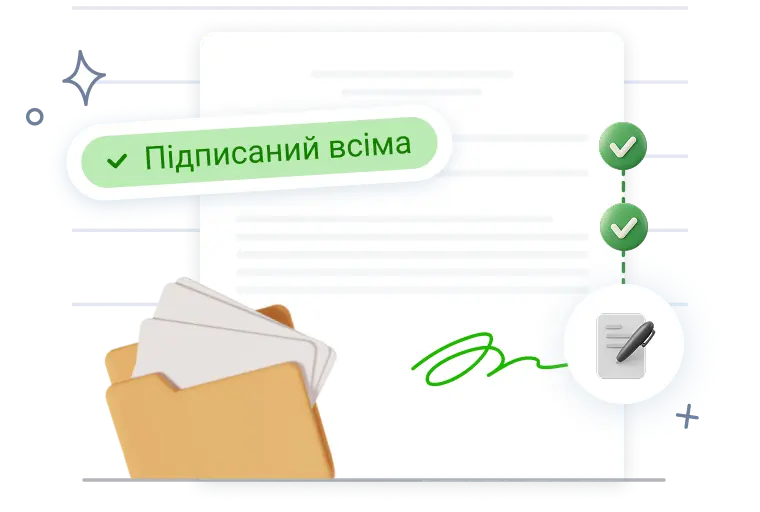
Vchasno.ODE for a sole proprietor’s daily operations
Manage documents with your clients in one service — from signing to secure storage in an electronic archive.
Get started