Viber
Viber
 Telegram








Tap-to-Phone is a contactless payment technology that allows you to use your smartphone as a POS terminal. It first appeared in Ukraine in 2019 and has become the go-to solution for couriers, taxi drivers, and many other entrepreneurs who do not have a physical point of sale.
Let’s explore here how Tap-to-Phone technology works and what advantages it offers to individual entrepreneurs.
Cash Register in a smartphone. How it works?
To use the Tap-to-phone technology, all you need is a smartphone that supports NFC payments. The user installs an app called Terminal to his/her own device. There is no need for additional equipment.
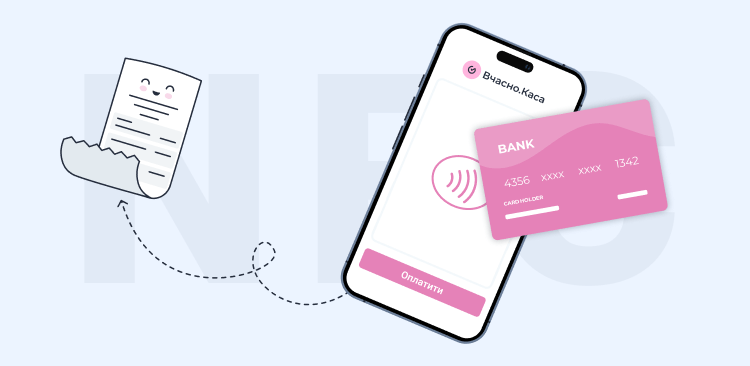
Making payments using a smartphone with Tap-to-Phone is very simple:
- the seller indicates the amount of the transaction in the application;
- the buyer attaches a card or gadget to the seller’s smartphone;
- the app registers the payment;
- the seller sends an electronic receipt to the buyer via email or SMS.
Contactless payments with your phone are as safe as paying through a physical POS terminal. The payment data is transmitted through a secure payment network that encrypts the bank card data to keep the transaction safe. The seller has no access to the customer’s card details.
Who can use Tap-to-Phone technology?
More and more often, entrepreneurs are using smartphone terminals with the Tap-to-Phone function as an alternative to “hardware” POS terminals. In particular, smartphone terminals are best suited for:
- small and medium-sized businesses;
- courier delivery services;
- taxi drivers;
- individual entrepreneurs who provide at-home equipment repair services;
- insurance agents;
- cultural and sports event managers, etc.
At the same time, physical POS terminals are better suited for businesses that receive a large number of payments in a short period of time, such as supermarkets, store chains, etc. A POS terminal is faster because it performs only one function. There may be other applications running in the background on the smartphone, or there may be software updates – all these
Smartphone terminal – benefits for small businesses
When deciding between physical POS terminals and smartphone-based RROs, entrepreneurs should take into account the cost of their maintenance. The average cost of a “hardware” terminal is UAH 12,500. The rent will cost UAH 400-500 per month, plus a percentage of each transaction.
The smartphone POS terminal does not require any additional equipment. Using a smartphone, an entrepreneur can accept payments, issue electronic receipts to customers, keep track of goods, and communicate with customers.

The use of mobile POS terminals also provides entrepreneurs with the following advantages.
Convenience. No additional devices are required to receive non-contact payments by smartphone. The seller always has a smartphone by his/her side, so he can accept payments anywhere.
Simple setup. An entrepreneur can easily download the program and set up a software RRO (PRRO) on a smartphone. No specialist assistance is required for its maintenance.
Cost savings. An entrepreneur can save money on purchasing or renting equipment, consumables (tape for receipts, ink for printing them), etc.
Tap to Phone: how to connect?
To accept contactless payments via smartphone, you need a device running Android 8.0 or higher with an NFC module and PrivatBank.
Step-by-step instructions:
Install or update the Vchasno.Kasa app and log in with your username and password.
On the main screen, open the More → Acquiring Settings tab and select PrivatBank Terminal.
Download the PrivatBank Terminal app and register using the phone number linked to your bank account.
For Tap to Phone technology to work, you also need to install the TapXphone app.
Next, log in to your Terminal account (we recommend doing this from a computer), open the “Integration” section, and click “Generate key.”
Copy the key and add it to the Vchasno.Kasa app using the “Add key” button.
After setting up, make a test payment of 1 UAH — click “Accept card payment” and hold the card to your phone. If the transaction is successful, make a refund through the Terminal app.
After that, acquiring is activated — and you can accept real contactless payments through your smartphone.
Vchasno.Kasa is the best POS system for getting started
Issue receipts even during power outages using the mobile app for iOS and Android
Try RRO on your smartphone