Viber
Viber
 Telegram








Content
- Introduction
- What is a QES for a legal entity
- How a QES differs from an electronic seal
- Where can you obtain a QES for a legal entity
- What documents are needed to obtain a QES for a legal entity
- How to obtain a QES for a legal entity in Vchasno.QES online
- Can a QES be obtained fully online
- How long is a QES valid and how can it be renewed
- Where can a QES for a legal entity be used
- How to issue QES certificates for company employees
- How to manage corporate signatures in Vchasno.QES
- Security and legal force
- Integration with the Vchasno ecosystem
- Additional benefits for business
- Tips that save time during issuance
- Summary
A QES for a legal entity is the electronic signature of a director or authorized employee whose certificate contains the company’s details. Such a QES can be obtained through a bank, the State Tax Service, or a qualified trust service provider. With Vchasno.QES, the application process is fully online — without a personal visit to a registration point.
In this article, we explain how to obtain a QES for a legal entity online, who can apply for a key on behalf of a company, and how to organize electronic signatures for employees who work with documents, accounting, and HR processes.
What is a QES for a legal entity
A QES for a legal entity is an electronic signature used to sign documents on behalf of a company. At the same time, a QES is not issued to an “abstract” legal entity: it is obtained by a specific individual — for example, a director, accountant, or another employee authorized to sign documents.
The QES certificate may contain the signer’s details, company information, their position, and their authority. This makes it possible to identify who signed the electronic document and on behalf of which company they acted.
However, a QES should not be confused with an electronic seal.
How a QES differs from an electronic seal
A QES belongs to an individual — for example, a director, accountant, or another authorized employee — and confirms the signer’s identity and intent.
An electronic seal belongs to a legal entity and confirms the origin and integrity of an electronic document.
In other words, a QES is used to sign documents on behalf of a company by a specific person, while an electronic seal is used to certify a document on behalf of the legal entity itself.
Where can you obtain a QES for a legal entity
A QES for signing documents on behalf of a legal entity can be obtained from various qualified trust service providers. The choice depends on how many signers the company has, how important remote issuance is, and how the company plans to manage employees’ electronic signatures in the future.
| Method | Application format | Documents |
| State Tax Service | mainly through a registration point | a package of documents is required |
| Bank | online or at a branch | depends on the bank |
| Commercial QTSP | online or offline | depends on the provider |
| Vchasno.QES | online | data and the application are generated in the service |
What documents are needed to obtain a QES for a legal entity
The list of documents required to obtain a QES for a legal entity depends on the application method and the requirements of the specific qualified trust service provider (QTSP). If the QES is issued offline, it is usually necessary to confirm the applicant’s identity, company details, and the authority of the person obtaining the electronic signature.
In particular, the following documents may be required to obtain a QES:
| Document | Purpose |
| Registration card | Contains the necessary data for issuing an electronic signature |
| Passport or another identity document | Confirms the identity of the director or another employee obtaining the QES |
| RNOKPP (taxpayer identification number) | Used to identify the signer |
| Charter or information from the Unified State Register | Confirms the details and status of the legal entity |
| Order appointing the director | Confirms the director’s authority |
| Documents confirming the employee’s authority | Required if the QES is obtained not by the director, but by an authorized employee |
| Power of attorney or employment agreement | May confirm the authority of the company representative |
Each QTSP sets its own requirements for the package of documents needed to obtain a QES. Therefore, before visiting a provider, it is worth checking the current list of documents for your specific case.
How to obtain a QES for a legal entity in Vchasno.QES online
You can obtain a QES for a legal entity in Vchasno.QES online. There is no need to prepare a paper document package yourself or have special technical skills.
Step-by-step guide
Register in Vchasno.QES. Open the web version of the service and start issuing an electronic signature.
Select QES issuance for a legal entity. Indicate that the QES is needed for a legal entity.
Enter the EDRPOU code and check the company details. Using the EDRPOU code and the company email, the system will automatically retrieve the company name and main details from the register.
Confirm the director’s identity. Complete identification using Diia.Signature or a valid QES of an individual.
Check the future certificate details. Review the information that will be included in the QES certificate and edit additional fields if needed.
Sign the generated application. Confirm the QES application online in Vchasno.
Create a PIN code. Set a PIN code that will be used to access the electronic key.
Activate the QES. Wait for the key to be activated automatically. After that, the QES can be used to sign electronic documents.
After activation, the QES can be used immediately for signing documents.

Need a QES for a legal entity?
With Vchasno.QES you can easily issue a corporate signature online.
Get a QESCan a QES be obtained fully online
A QES can be obtained online if the selected qualified provider supports remote identification and repeat issuance of signatures, as Vchasno.QES does. At the same time, when obtaining a QES for the first time, personal identification may be required — this depends on the method of identity verification and the provider’s requirements.
For repeat issuance or renewal of a QES, some providers allow the process to be completed online without visiting an office. Therefore, before applying, it is worth checking the current terms of the selected QTSP.
How long is a QES valid and how can it be renewed
A QES is usually valid for 1 to 2 years. The exact validity period depends on the policy and terms of the specific qualified trust service provider.
After the certificate expires, a new QES must be obtained. If the provider supports remote repeat issuance, this can be done online. It is important to take care of signature renewal in advance so as not to lose access to the services where it is used.
Where can a QES for a legal entity be used
A QES for a legal entity is used for electronic interaction between a company and government authorities, banks, counterparties, and other services. In particular, it can be used to sign electronic documents, contracts, reports, and applications if the relevant service supports QES.
A QES is also used for working with government electronic services, electronic document workflow, and other operations where signer identification and confirmation of intent are required.
How to issue QES certificates for company employees
Each company employee receives their own QES, which they use to sign documents and work in information systems. The issuance process can be initiated by the director or company administrator.
The employee personally confirms their data and creates a PIN code for the key. The company, in turn, can monitor the issuance status and validity period of employees’ QES certificates.
If an employee leaves the company, their QES must be revoked or blocked in accordance with the internal procedure and the rules of the electronic trust service provider.
How to manage corporate signatures in Vchasno.QES
When a company has several signers — a director, accountant, HR specialist, or other authorized employees — it is important to manage their QES certificates centrally. Vchasno.QES works on a licensing model where the license belongs to the company, not to a specific employee. The responsible person — the administrator — manages the shared pool of licenses in the web cabinet and assigns them to employees who need a QES.
If an employee leaves the company or changes roles, the license can be assigned to another employee with the remaining validity period — without the need to purchase a new one.
What this gives the company:
- License reassignment. After an employee leaves, the license can be transferred to another employee and the remaining validity period can be used.
- Reissue without extra charges. If employee data or a password needs to be changed, the certificate can be reissued within the remaining validity period without additional payment.
- Single corporate cabinet. The administrator manages licenses and employees’ QES certificates from one place.
- Status dashboard. The cabinet shows available, new, and returned licenses, as well as the available balance.
- Control over corporate QES certificates. It is clear who has been issued a key, who has activated it, and whose validity period is about to expire.
This approach makes it possible not to tie a corporate QES to a specific person. The license remains a company resource that can be reused when the team changes.
The cabinet also provides:
- Blocking and revocation in one click. Convenient during staff changes or role rotation.
- Certificate reissue. There is no need to repeat the entire process — simply initiate reissue, and the system will guide the user.
- Reminders and notifications. Automatic messages help avoid missing critical dates.
- Action log. Information about the creation, activation, and use of keys helps control operations with corporate signatures.
From a security perspective, this means access control and a quick response to changes. From a business perspective, it means less downtime and clear responsibility.
Security and legal force
A cloud QES has the same legal force as a key stored on a physical device. This is directly defined by Article 18 of the Law of Ukraine “On Electronic Trust Services”.
In Vchasno.QES, employees’ QES certificates are stored in a secure certified repository, and access to them is protected by two-factor authentication.
The system stores all receipts and certificates that can be used to confirm the validity of a signature in any official process.
Integration with the Vchasno ecosystem
Issuing a QES for a legal entity is only the first step. The real value appears when the signature immediately works within the company’s processes. That is why the corporate electronic signature is integrated with other products in the ecosystem:
 Vchasno.EDO. Signing contracts, acts, invoices, reconciliation statements, and e-TTN. For teams — approval routes, multi-party signatures, an event log, and an archive.
 Vchasno.Kadry. Hiring, vacations, transfers, dismissals, certificates — all HR documents are signed online, while scenarios automate approvals.
 Vchasno.Zvit. Filing reports and working with tax documents. The signature prepares files for submission without third-party software.
 Vchasno.TTN. All consignment notes in digital format: creation, approval, signing, and transfer between transportation participants. The system tracks the status of each e-TTN, reduces the risk of errors, and speeds up shipment documentation.
The business advantage is the absence of delays. A company QES issued today can be used within minutes for documents with counterparties, internal orders, and reporting.
Additional benefits for business
For businesses, it is important not only to issue QES certificates to employees quickly, but also to manage signatures securely, control validity periods, and integrate them into workflows. In Vchasno.QES, these capabilities are available in one corporate cabinet.
| Benefit | How it is implemented in Vchasno.QES |
| ✅ Speed | A corporate QES is activated immediately after the application is signed by the director or an authorized person. There is no waiting for verification or a call from a registrar — activation happens automatically every 2 minutes. |
| ✅ Bulk issuance | The administrator can create QES certificates for all employees at once. Employee data is pulled in automatically, and each key is activated after the employee signs the application. |
| ✅ Security | Keys are stored in a certified cloud repository, and access is protected by two-factor authentication. The administrator sees all events and can block a key if an employee leaves or their authority changes. |
| ✅ Convenient management | All corporate signatures are collected in one cabinet: statuses, renewals, blocking, validity period control, and access assignment. A complete overview without switching between services. |
| ✅ Integration | After activation, the QES is immediately ready to work across the entire ecosystem: Vchasno.EDO, Vchasno.Kadry, Vchasno.Zvit, Vchasno.Kasa. No additional setup or key import is required. |
| ✅ Savings | Licenses do not expire unused during staff rotation, data changes, or password loss. QES reassignment and reissue within the validity period are available without any extra charges. |
Tips that save time during issuance
- Keep the director’s valid QES at hand — identification will take only a few minutes.
- Before issuing keys in bulk, update employees’ contact details: email addresses and phone numbers. This will speed up confirmation.
- Schedule reminders 60 days before the keys expire: the system will send notifications, and the administrator will see priorities in the cabinet.
- If an employee changes position, update the QES attributes immediately — this is important for the correctness of signatures in documents.
Summary
Issuing a corporate electronic signature no longer requires documents, physical media, or visits to registration points. Vchasno.QES has made the process fully online: the director confirms their identity, and the legal entity’s key is activated automatically. After that, the company can quickly issue QES certificates to employees and centrally manage their validity periods, access rights, and renewals.
For businesses, this means time savings, fewer risks, and full readiness to work with electronic documents — in Vchasno.EDO, Vchasno.Kadry, Vchasno.Kasa, and other services.
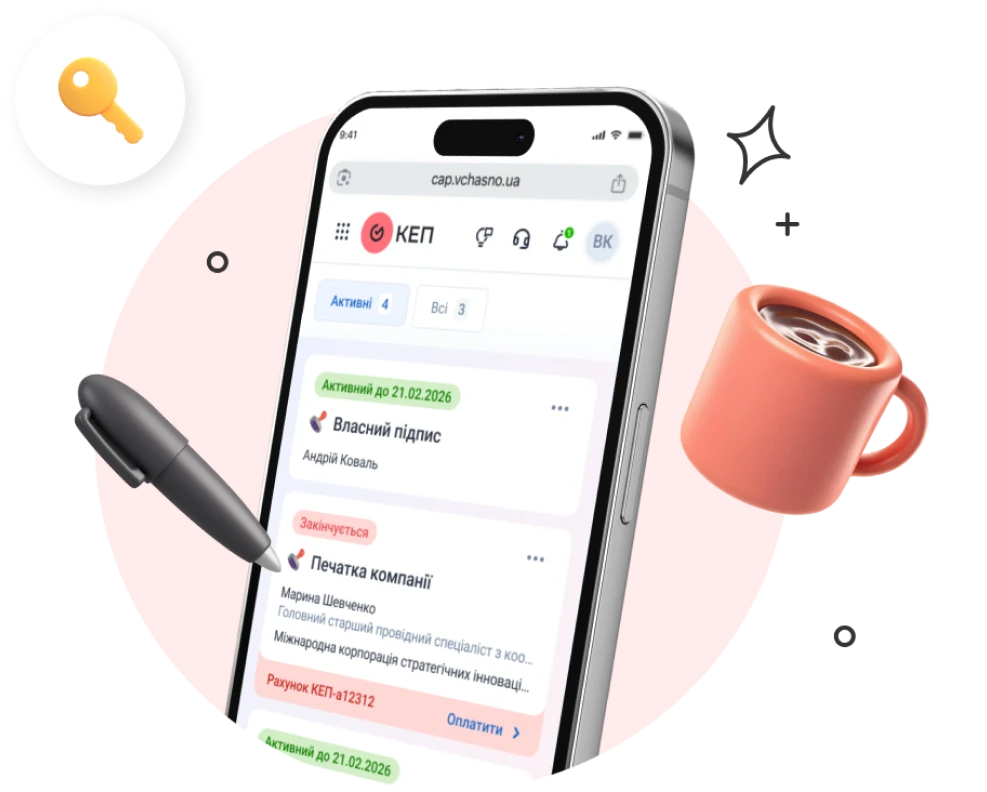
Get a QES for your company in just a few minutes
Create a QES for a director or employees, centrally manage company signatures, and use them in daily work without wasting time.
Get Vchasno.QES